What does Kakobuy do?
Kakobuy is currently China’s largest shopping agent and a leader in the buying-agent industry. Formerly known as Hagobuy, it serves customers worldwide and has helped millions of UK shoppers buy from Chinese marketplaces. Its established UK community makes it a familiar choice for sourcing products from China.
Kakobuy helps buyers purchase from Chinese sellers, receive goods at its warehouse, review QC photographs and arrange international delivery. This guide covers the journey from finding a product to shipping it to your UK address.
This Kakobuy Spreadsheet guide starts one step earlier: finding a product worth comparing. The spreadsheet and Kakobuy are separate services. You do not pay for a product on this guide website.
How to use Kakobuy Spreadsheet
Type a product name or brand into the homepage search. You will arrive at W2C Spreadsheet’s results. Filter or browse, open a listing, compare the available photographs and check the seller link. A category card opens the matching collection directly.
Check any available QC against the same item and variant; other buyers’ photographs are useful context, but your order still needs its own inspection. Listing prices are not the complete cost of delivery to the UK.
Search and discover
Enter a product, brand or category in the homepage search box. You will see matching results on W2C Spreadsheet. Use category, size, style and price filters to narrow your shortlist.
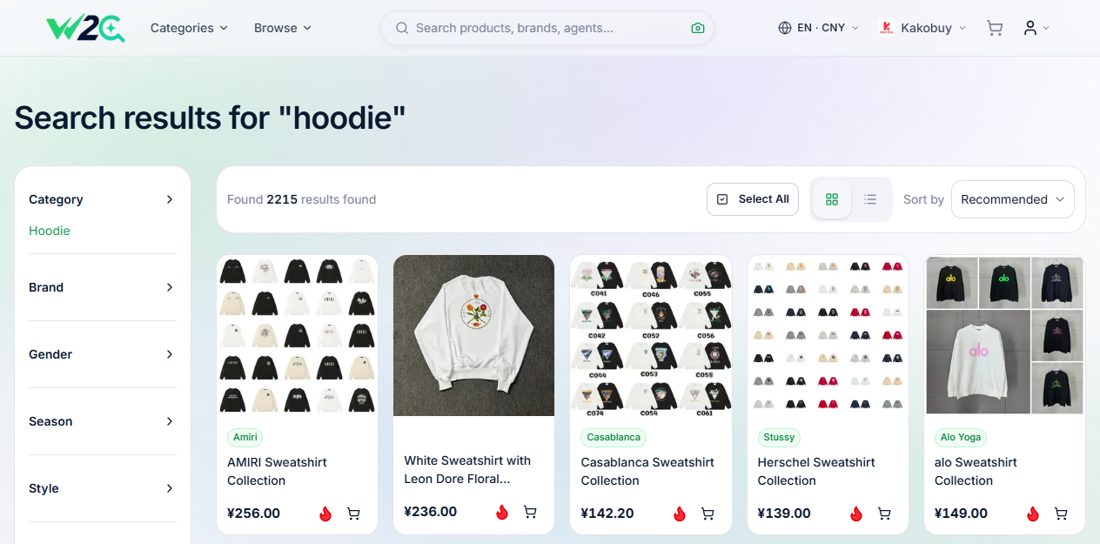
Review the product and QC
Open a listing and compare its photos, options, price and available QC images. Read the QC source and date, and match the size and colour to your intended order. A previous buyer's QC is a useful reference, not a guarantee for your future item.
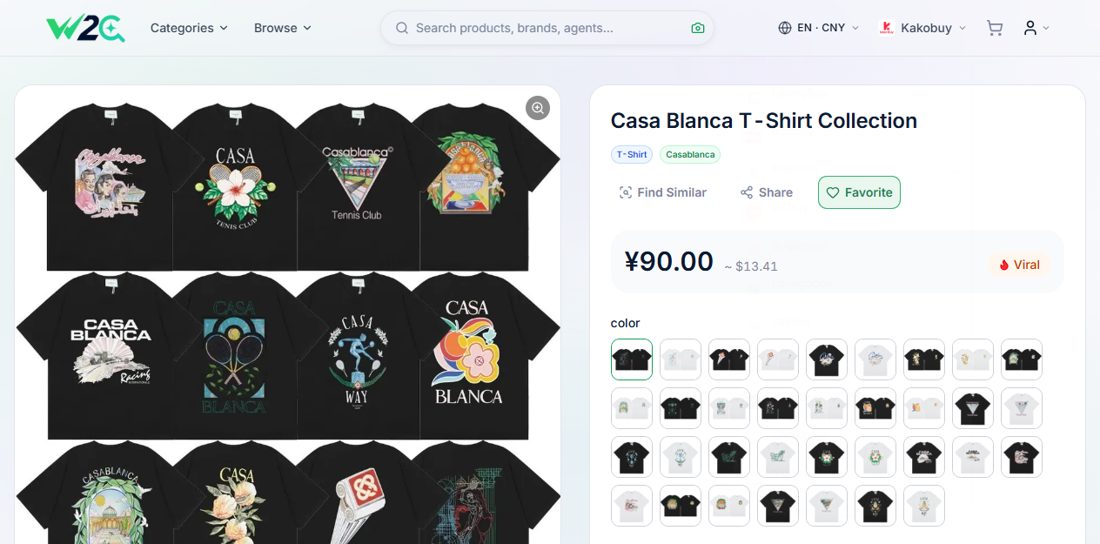
Choose Kakobuy and check your options
Select Kakobuy in Preferred Agent or Purchase Agent. Choose the required colour, size and quantity, then use the buying flow. Recheck the seller item, options and total on Kakobuy before you pay.
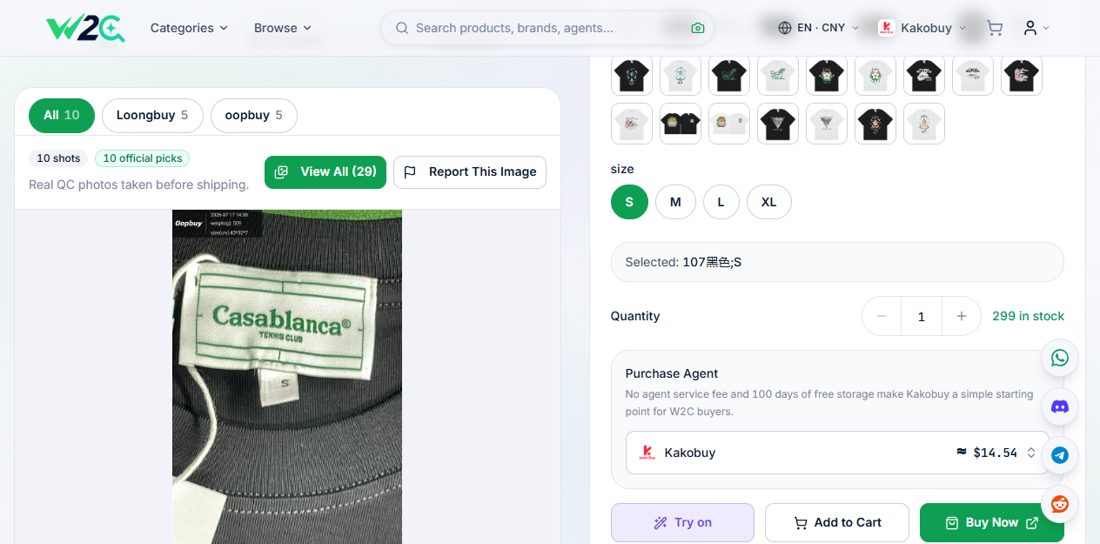
Create your account and submit the item
Create your own Kakobuy account, open the product link and confirm the seller, size, colour and quantity. If a link cannot be read automatically, use the available manual-order option and enter the details accurately. Review the item price and domestic delivery charge before placing your order.
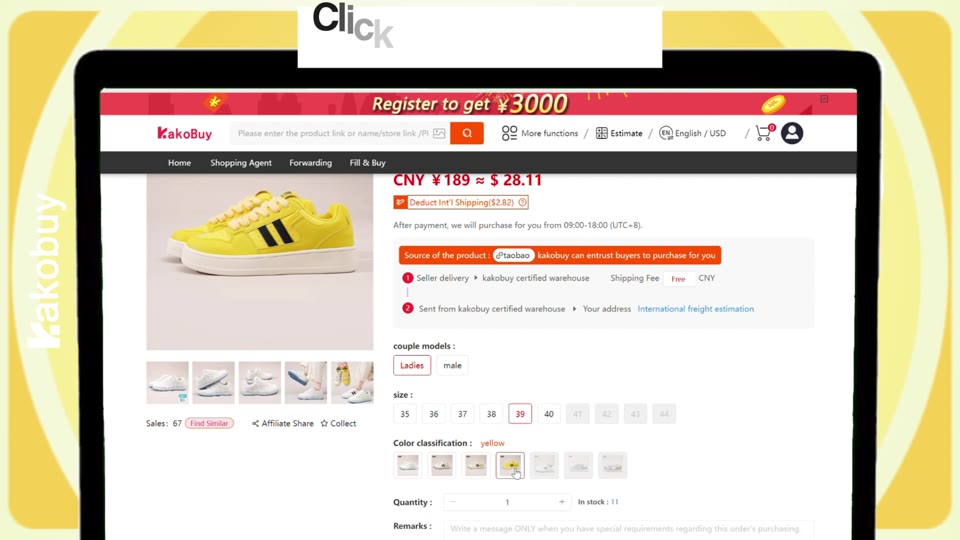
Check warehouse photos before shipping
After the seller sends your goods to the warehouse, review the item status and QC photos. Check the item, colour, size label, measurements and visible condition. Ask support about discrepancies or extra photos before submitting the parcel. Basic inspection is not authentication or a complete functional test.
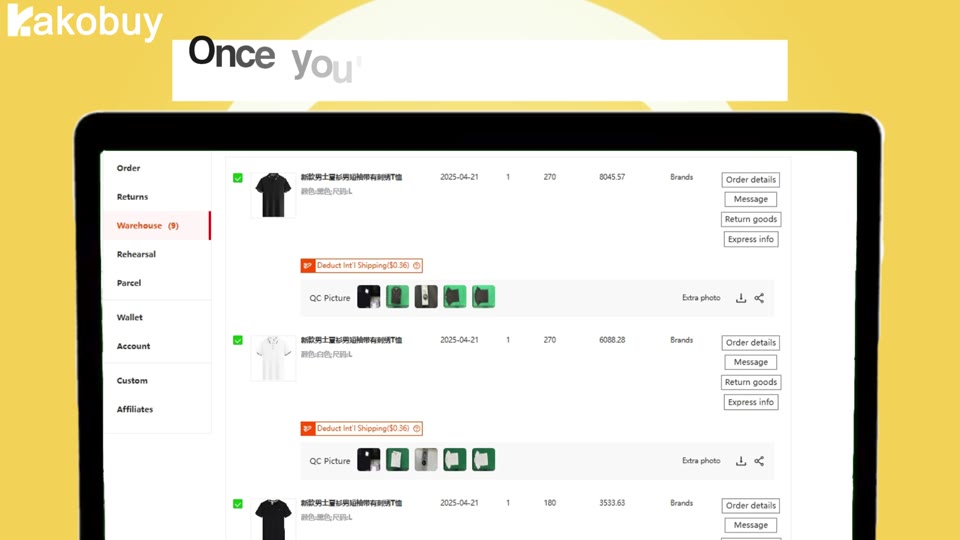
Compare routes and submit your parcel
Choose the items you want to ship together, enter your UK delivery details and review the permitted contents, chargeable weight, packaging options and available routes. Compare the current estimate, cover and route terms; pay the final charge shown by Kakobuy and follow tracking after dispatch.
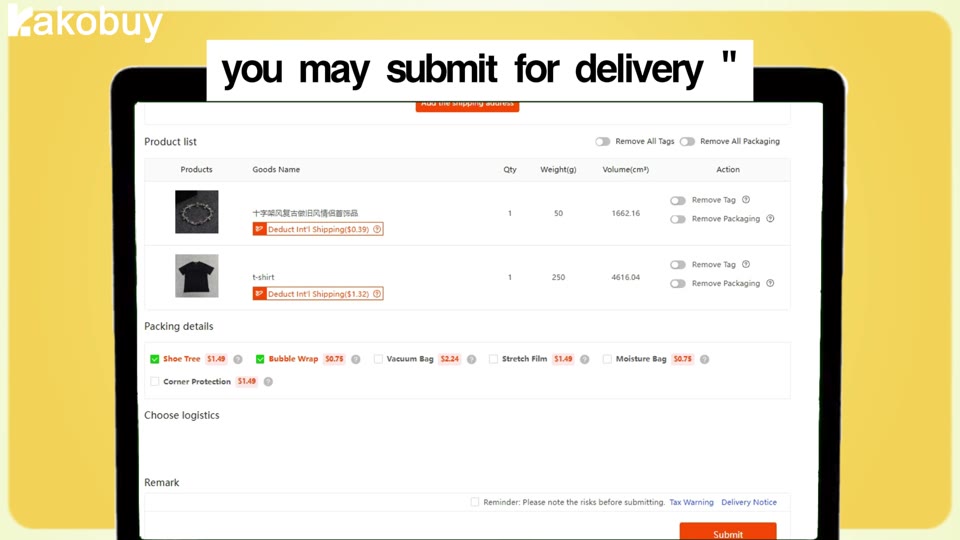
Watch the Kakobuy walkthrough
See how a product link becomes an order and then a parcel. Use the written steps above alongside the video.
Official Kakobuy tutorial saved in the local source pack on 17 June 2026. Interface, prices and promotions shown are examples from that recording. The current order screen and service terms take precedence. The written walkthrough above provides the key steps.
Before you send it to the UK
Review your QC checklist, add up the full order cost, and check the UK shipping guide. If you are unsure about an account, payment or order, ask Kakobuy’s official support before proceeding.
Illustrations are drawn from the saved official Kakobuy tutorial and current W2C Spreadsheet screens. Reviewed 23 September 2026.
Kakobuy official beginner guide ↗